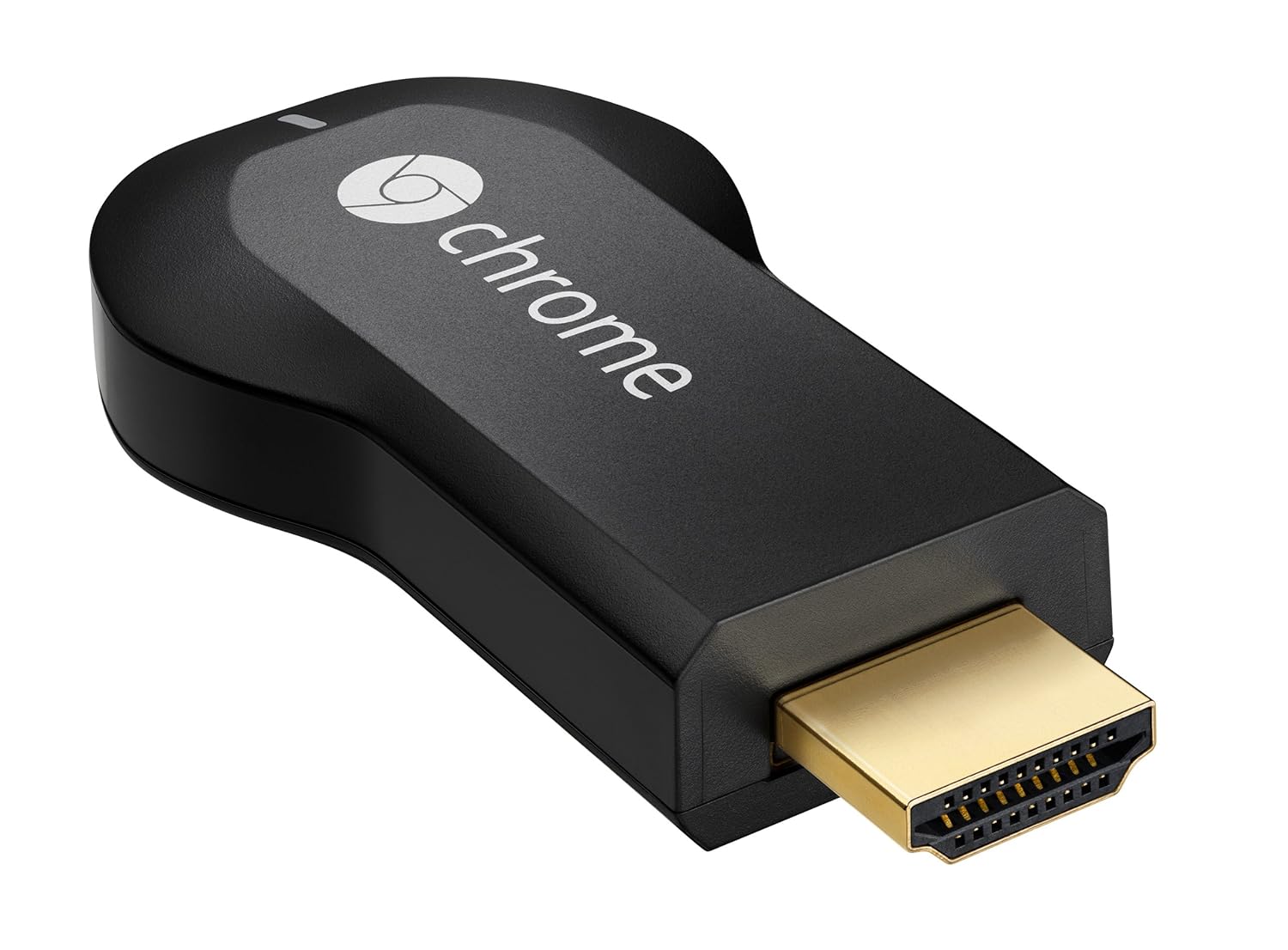
VEVO, Red Bull.TV, Songza, PostTV, Viki, Revision 3, BeyondPod, Plex, Avia and RealPlayer Cloud - to name just ten of the extra apps that now work with Googles smart streaming device.
I played with Songza and Red Bull TV (which is a personal favorite) and they all work very well. Anyway enjoy and lets hope that more gets added in the coming weeks / months. I hope NHL Gamecenter gets added - that would be epic !
867-5309 could be one of the most iconic phone numbers of all time, but it’s not the only number that a lot of us remember by heart. Many of us have a phone number that weve shared with family, friends, and contacts over the years and are reluctant to let go.
One of the most frequent requests we hear from people who use (or want to use) Google Voice is that they’d like to get all of Google Voice’s features without having to give up their long-time phone numbers.
Today, we’re excited to announce that Number Porting is available for all existing Google Voice users. This means you can make the mobile number you’ve always used your Google Voice number, so it can ring any phone you want—or even your computer.
To get started with Number Porting, log in to your Google Voice account, visit the Settings page and click on “Change / Port” next to your Google Voice number.
Porting your number to Google Voice costs $20 and is usually completed within 24 hours. You may incur additional charges, including early termination fees, from your wireless carrier. Contact your carrier to get more details about the charges applicable to you.
After porting your number to Google Voice your mobile service plan will be cancelled, and there are a couple of steps that you’ll have to take to continue making and receiving calls on your mobile device. For more detailed instructions on how Number Porting works and to find tips for making the process as smooth as possible, visit the Google Voice Help Center.
Number Porting is currently available for existing Google Voice users and will become available to new users within the next few weeks, and at this time, Google Voice is available in the U.S. only
Posted by Robert Dong, Software Engineer
Update (1:15PM): Included more details about the porting process.
To begin editing, visit docs.google.com in your mobile browser, and select a document to edit. Switch from view to edit mode by pressing ‘Edit’ to turn on the mobile editor and start typing away. As a reminder, mobile editing is available on Android (2.2+) and iOS (version 3.0+) devices. You can learn more about Google Docs for mobile on www.google.com/mobile. As always, feedback in the comments and on the forums is appreciated.
At Google, we develop products that we love to use ourselves. For example, were avid users of Search, Gmail, Maps, and many others. But for those of us in mobile, its tough. Not all products work the same on all devices, and although we try and optimize for each device, we often run into challenges specific to certain mobile phone platforms. I, for one, used to carry three devices with me all day. I love my iPhone for its powerful browser and music player. I use my BlackBerry for Gmail and Calendar (and occasionally Brick Breaker), and I carry a Nokia N-series phone because of its camera and YouTube application.
The first Android-powered phone, announced today by T-Mobile, comes with Google. The following Google applications are preloaded on the device: Search, Maps, Gmail with Contacts, Calendar, Google Talk, and YouTube. There are a few things Im particularly excited about:
Easy to use. Its never been easier to use Google on your phone. With single sign-in, you can log in to your Google account and have instant access to all your favorite Google products. No messing around with settings, your login never expires, and everything just works. If you dont have a Google account yet, you can set one up on your phone and be up and running in seconds.
Fully synchronized. Your emails, contacts, calendar entries, Google Talk chats are fully synchronized with Gmail and Calendar on the web. New events are pushed in real-time to your phone and any changes you make on-the-go are immediately available on the web. If you ever lose or break your phone, all your data is safe and secure in the cloud.
Designed to work together. Search is now available as a feature in many applications, including non-Google ones, such as the music player. While youre listening to a song -- like something from Depeche Mode -- just long-press the artists name. Youll see a menu pop up that lets you search Google for the Depeche Mode Wikipedia entry, or search YouTube for the music video. The contact application lets you see your friends IM status, view his address on a map, and communicate with him using Gmail or Google Talk. And, of course, you can call or text him as well.
Check out the video below to see these features in action:
The Google applications on Android take full advantage of the features of the Android platform. Gmail is built on embedded WebViews, the real-time push features and synchronization use the multi-tasking capabilities of the platform, and the integration between applications relies on the Android Application Framework.
Were kicking off a new blog series, called Google on Android. Over the next couple of weeks, we will dig deeper into each one of the Google applications available for Android, and at the end of the series, Ill let you know whether Ive decided to switch phones or switch to pants that let me carry four phones instead of three.
Posted by Marc Vanlerberghe, Product Marketing Director
Our post today, cross-posted with the Google Enterprise Blog, comes from one of our sister projects, BigQuery. We know that many of you are interested in processing large volumes of data and we encourage you to try it out.
Rapidly crunching terabytes of big data can lead to better business decisions, but this has traditionally required tremendous IT investments. Imagine a large online retailer that wants to provide better product recommendations by analyzing website usage and purchase patterns from millions of website visits. Or consider a car manufacturer that wants to maximize its advertising impact by learning how its last global campaign performed across billions of multimedia impressions. Fortune 500 companies struggle to unlock the potential of data, so it’s no surprise that it’s been even harder for smaller businesses.
We developed Google BigQuery Service for large-scale internal data analytics. At Google I/O last year, we opened a preview of the service to a limited number of enterprises and developers. Today were releasing some big improvements, and putting one of Googles most powerful data analysis systems into the hands of more companies of all sizes.
We’ve added a graphical user interface for analysts and developers to rapidly explore massive data through a web application.
We’ve made big improvements for customers accessing the service programmatically through the API. The new REST API lets you run multiple jobs in the background and manage tables and permissions with more granularity.
Whether you use the BigQuery web application or API, you can now write even more powerful queries with JOIN statements. This lets you run queries across multiple data tables, linked by data that tables have in common.
It’s also now easy to manage, secure, and share access to your data tables in BigQuery, and export query results to the desktop or to Google Cloud Storage.
Michael J. Franklin, Professor of Computer Science at UC Berkeley, remarked that BigQuery (internally known as Dremel) leverages “thousands of machines to process data at a scale that is simply jaw-dropping given the current state of the art.” We’re looking forward to helping businesses innovate faster by harnessing their own large data sets. BigQuery is available free of charge for now, and we’ll let customers know at least 30 days before the free period ends. We’re bringing on a new batch of pilot customers, so let us know if your business wants to test-drive BigQuery Service.
Ever missed an appointment or important email because you were away from your desk? Now Google Mobile App can help with push notifications from your Google account to your iPhone -- an icon badge shows you’ve got new mail in Gmail, and Google Calendar event reminders appear right on your home screen.
We’ve also added spiffy features to get you information faster -- when looking for flight info, weather, stock quotes or currency conversion you’ll see answers before you even hit ‘Search’.
You can get the update from the App Store by searching for ‘Google Mobile App’.
If you have any questions or comments, or if you want to learn more, please visit our help center.
Update 8/24 5:00 PM PST:
You will only receive pop-up messages and sound/vibration for calendar alerts - new email is shown using the unread count on the Google Mobile App icon and in the apps tab.
To ensure you get alerts go to the Settings > Google Accounts panel inside Google Mobile App and switch on the notifications youd like to receive. If you initially didnt allow Google Mobile App to receive push notifications when prompted, you can enable the feature again in the iOS Settings applications Notifications panel.
Google Glass has yet to hit a point where its ready for consumer availability, but that hasn’t stopped those who do have their hands on it from asking about the ability to purchase and attach “Prescription” lenses and frames to attach to their device. It makes perfect sense to see this sort of thing available, as many people who wear and operate Google Glass will already wear glasses. Thanks to Glasses company Wetley, if you are one such owner of Glass you can now head over to Opticsplanet and buy yourself a pair of prescription lenses and frames to work with your pair of Google Glass.
The GGRX, which Wetley has aptly named their set of frames to adapt to your Glass, is available starting at $99, and you can order them now off of the opticsplanet website. The lenses in case some of you were wondering are stated as not included with this introductory $99 pricetag, as it is just for the frame alone. There is an available set of lenses that come along with the frame that you can purchase however, as long as you’re ok with letting go of a bit more money. The lenses themselves cost $149, and they come in a variety of options. Wetley offers you the choice of regular clear lenses, tinted lenses which come in varied color options(gray, brown, green, and yellow) and finally a set of photochromic lenses that adjust to light and darken when hit with outside UV rays, or lighten when out of sunlight. The options you choose to customize your lenses with will of course modify the price of your total cost, but you already knew that right?
All together you can buy the stainless steel frame and a set of clear prescription lenses from Wetley for a total of $249.99, which doesn’t sound like such a bad price. Wetley also offers a set of progressive prescription lenses that cost $249.99 as well. However you can also have your local optician make you a pair of prescription lenses specifically for the Wetley Google Glass Frame/Adapter. The Wetley Google Glass adapter mounts to your Glass in seconds, and requires no tools whatsoever to attach. Each set of lenses should you choose to purchase from Opticsplanet comes with a special anti-reflective coating to help reduce eye fatigue and strain. The frame boasts being able to accommodate just about any prescription, so it seems like its possible to work for almost anyone. We think these look rather stylish for something you mount to a piece of wearable tech. What do you think about the Wetley Frame/Adapter and lenses? Let us know in the comments if you’re using Google Glass and would consider purchasing these.